Workspace General
Use Workspace General to update basic workspace details that are visible to team members.
What you can do here
- Edit workspace name, slug, and description.
- Review workspace type and default settings.
- Save changes that apply across the workspace.
- Reset the form before saving.
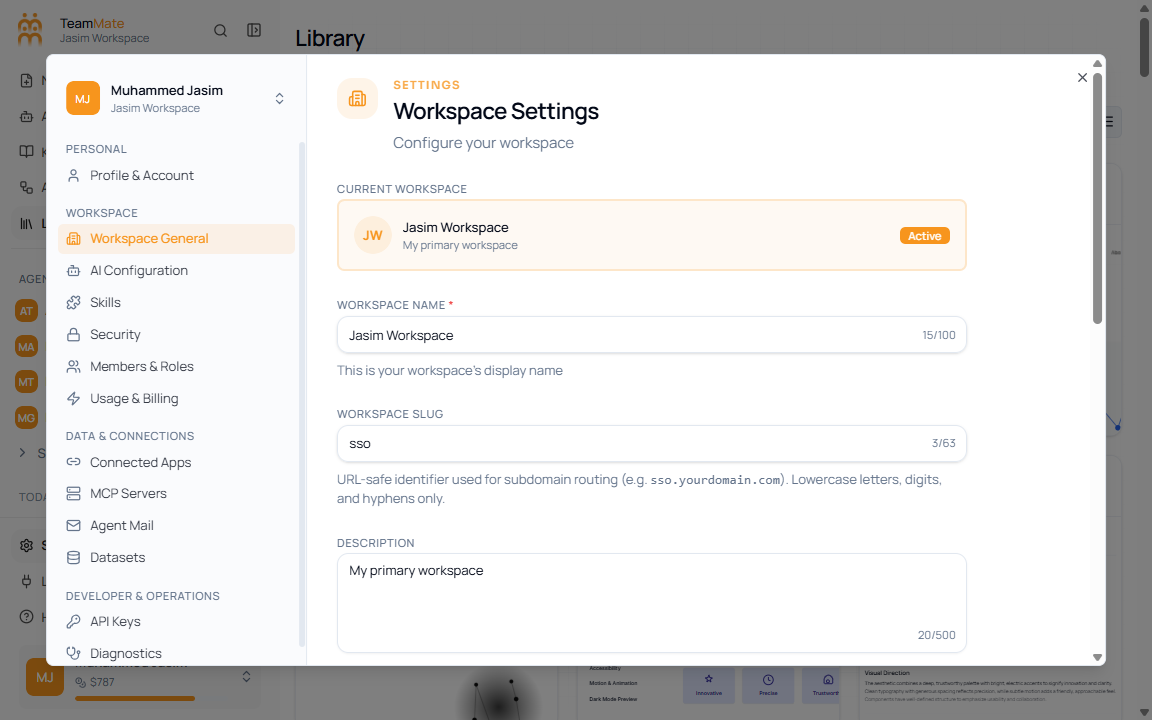
Fields and controls
| Control | What it does |
|---|---|
| Workspace name | Sets the name shown in the app sidebar and workspace switchers. |
| Workspace slug | Sets the short workspace identifier when editable. |
| Description | Explains what the workspace is for. |
| Reset | Restores the form to the last loaded values. |
| Save Changes | Applies the workspace updates. |