AI configuration
Use AI Configuration to decide which model providers and custom models are available to agents and chat.
What you can do here
- Review connected providers.
- Connect or disconnect provider rows.
- Add OpenAI-compatible custom models.
- Edit or remove existing custom model rows.
- See provider types such as Cloud, Local, and Subscription.
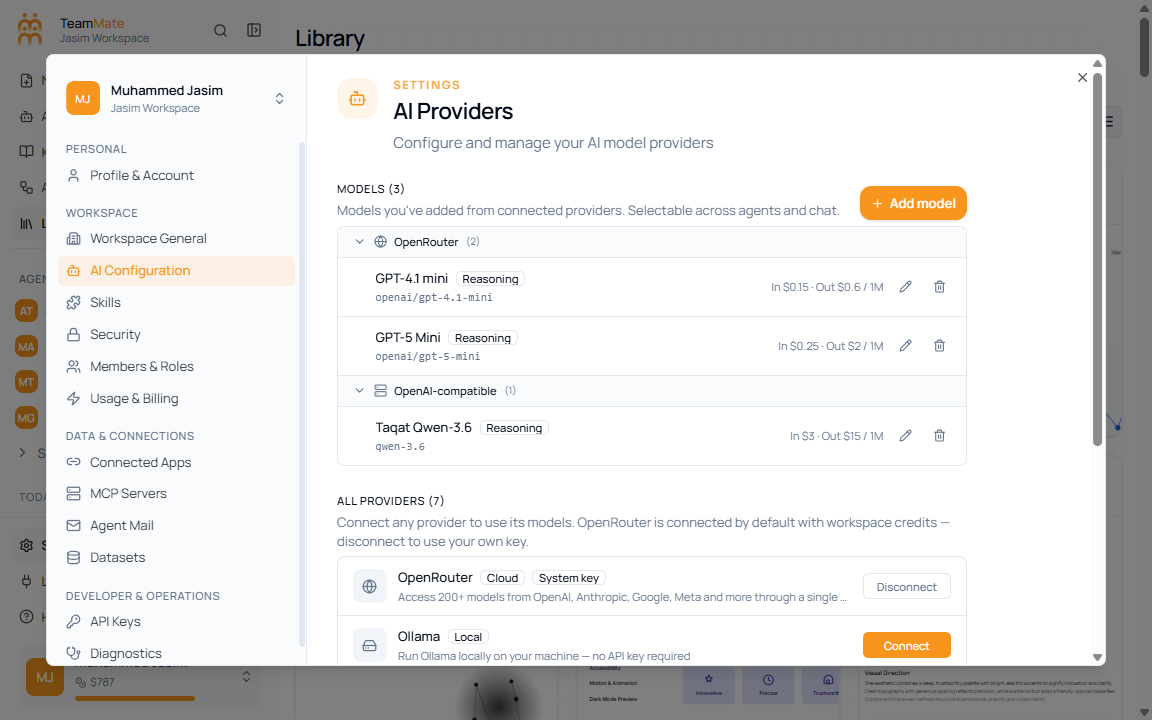
Provider rows
| Provider | Purpose |
|---|---|
| OpenRouter | Access many hosted models through one provider. |
| Ollama | Use a local Ollama server. |
| LM Studio | Use an LM Studio OpenAI-compatible local server. |
| Z.AI | Use GLM models through a Z.AI subscription. |
| OpenAI-compatible | Connect any compatible endpoint such as vLLM, LiteLLM, or self-hosted inference. |
| Codex CLI / Claude Code | Visible as coming-soon coding-agent providers. |