Web & Embed tab
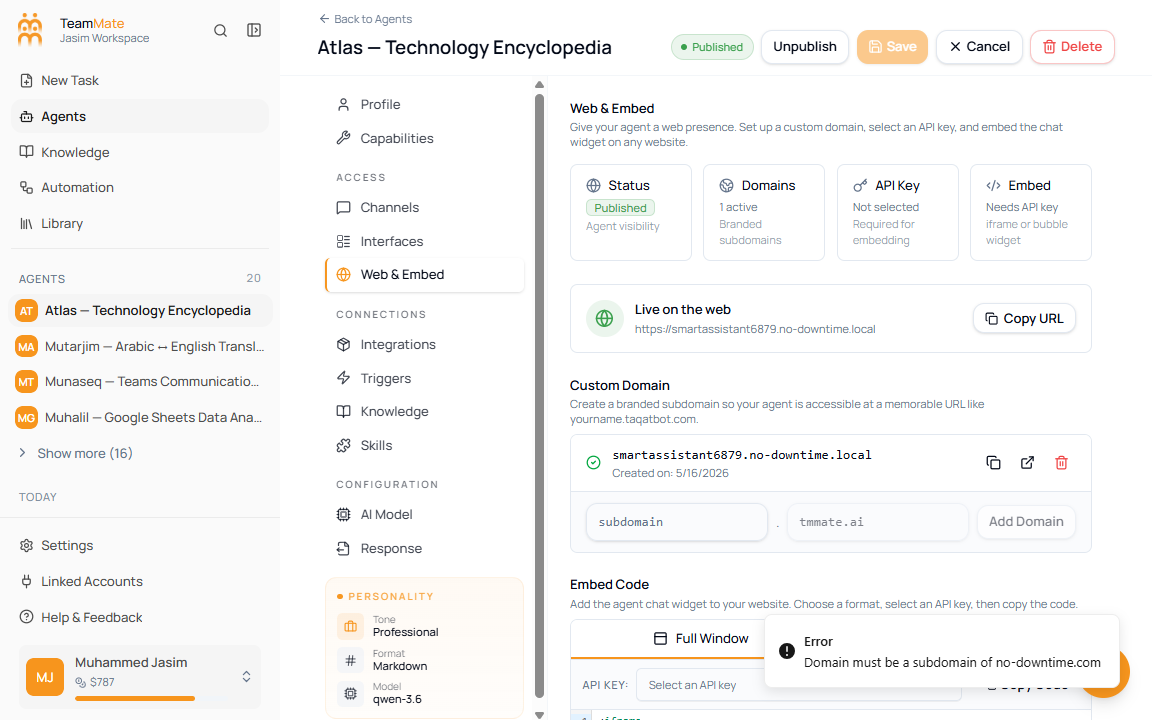
The Web & Embed tab gives a saved agent a web presence. Use it to manage branded subdomains, select an API key, and copy iframe or bubble-chat embed code.
What you can do here
- Review publish, domain, API key, and embed readiness.
- Add or remove a custom subdomain.
- Copy a live public URL when the agent has a domain.
- Select the API key used by embed code.
- Copy full-window iframe code.
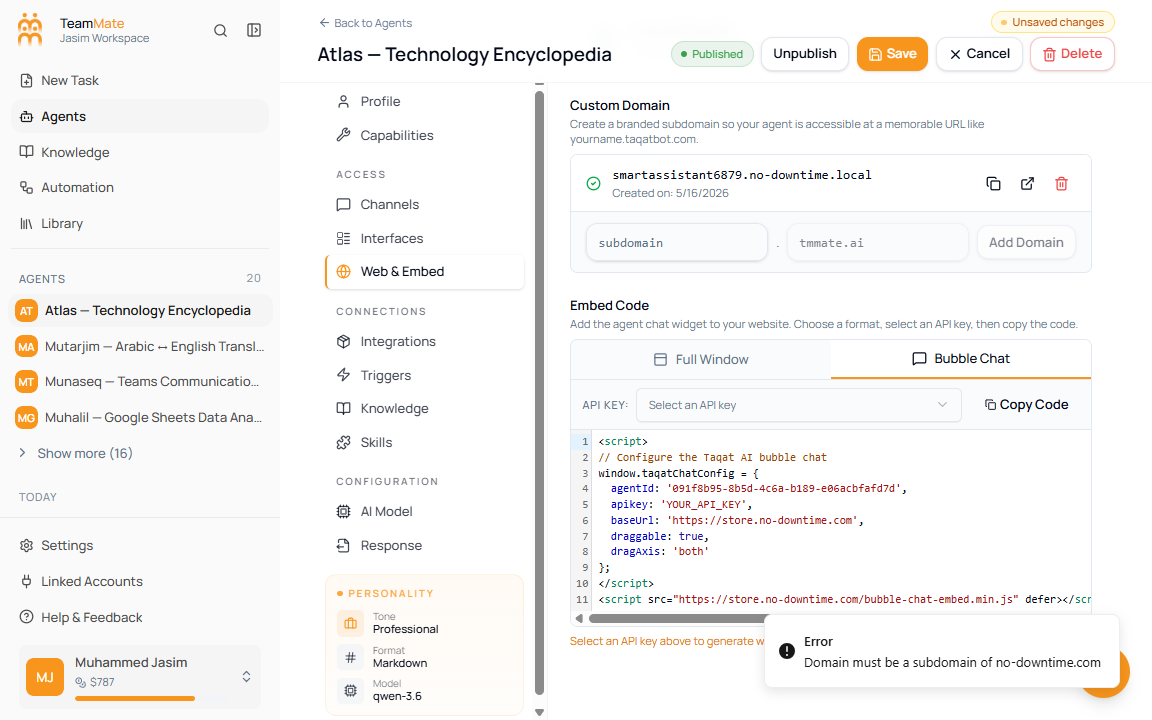
- Copy bubble chat script code.
Save requirement
Web & Embed requires a saved agent. On the create screen, this tab shows Save Agent First because domains and embed URLs need an agent ID.
Status cards
| Card | What it shows |
|---|---|
| Status | Whether the agent is published or still draft. |
| Domains | Number of active custom domains. |
| API Key | Whether a valid API key has been selected. |
| Embed | Whether embed code is ready or still needs an API key. |
Add a custom domain
- Open Web & Embed on a saved agent.
- Enter a subdomain prefix.
- Confirm the fixed root domain.
- Click Add Domain.
- Copy or open the generated URL when the domain appears.
Subdomains can use lowercase letters, numbers, and hyphens. Reserved prefixes such as www, api, admin, mail, ftp, and app cannot be used.
Copy embed code
- Choose Full Window for an iframe embed.
- Choose Bubble Chat for the floating website widget script.
- Select a valid API key from the API Key selector.
- Click Copy Code.
- Paste the code into the website where the agent should appear.
Embed modes
| Mode | Output | Use when |
|---|---|---|
| Full Window | iframe HTML. | You want the chat to fill a page or a large content area. |
| Bubble Chat | script configuration and script tag. | You want a floating support-style chat bubble. |
If valid API keys exist but none is selected, the code uses a placeholder and warns you to select an API key.