Triggers tab
The Triggers tab lets an agent run when an external event happens. Use triggers for event-driven work such as responding to new records, messages, tickets, or provider events.
What you can do here
- See triggers already selected for the agent.
- Open the trigger selector.
- Search apps that expose triggers.
- Configure a trigger connection.
- Remove selected triggers.
- Save trigger changes with the agent.
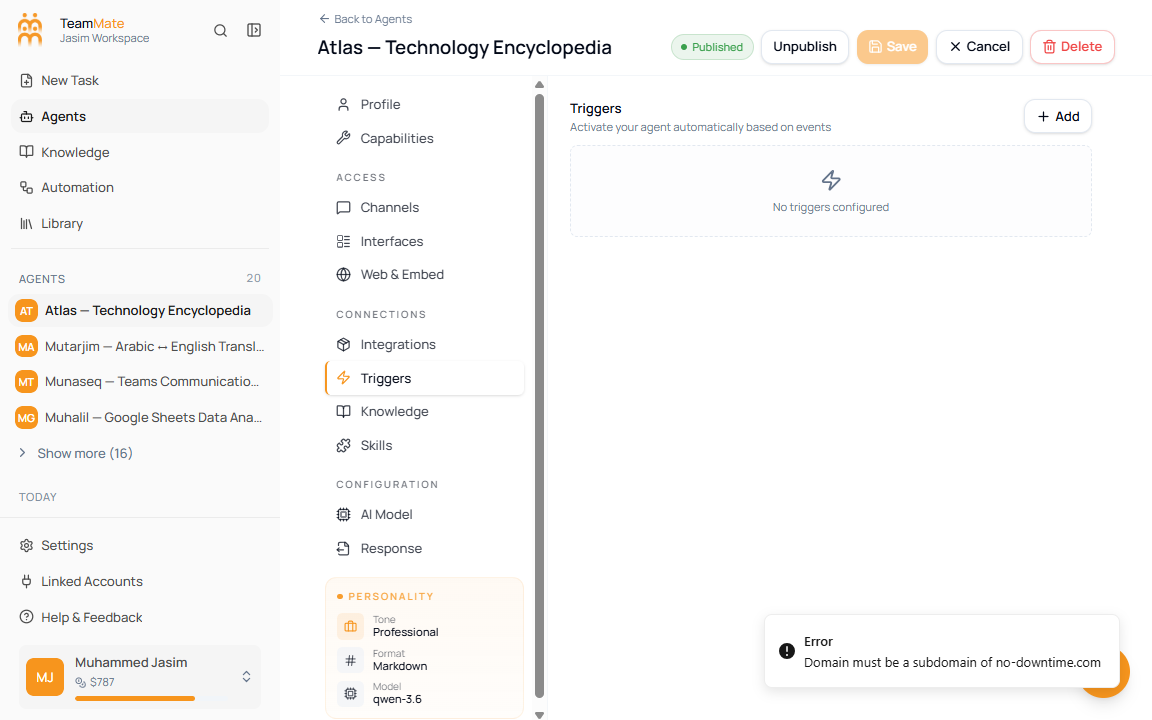
Add a trigger
- Open Triggers.
- Click Add.
- Search by app name or description.
- Click an app to configure its trigger.
- Complete the provider-specific trigger connection flow.
- Click Save in the builder header after the trigger is selected.
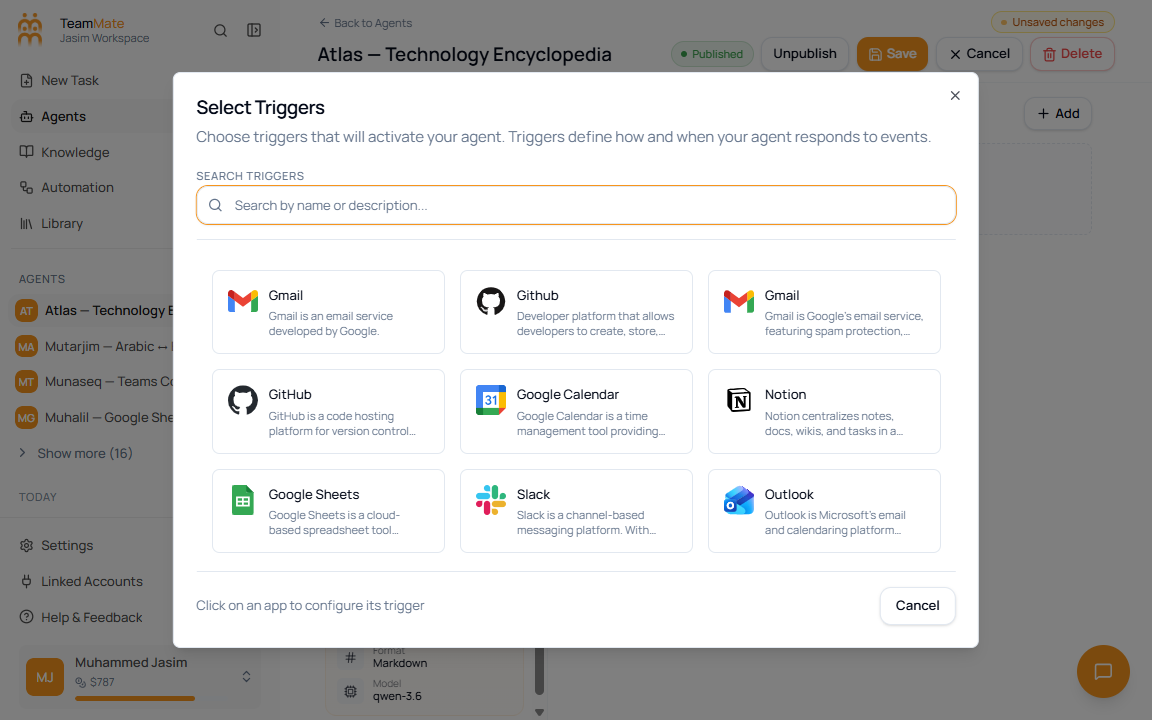
Trigger selector fields
| Field or control | What it does |
|---|---|
| Search Triggers | Filters trigger-capable apps by name or description. |
| App card | Opens that app’s trigger connector. |
| Selected app state | Shows when a trigger for that app is already selected. |
| Cancel | Closes the selector without adding a trigger. |
Notes
- Triggers depend on available integration apps and provider authorization.
- Clicking an app starts a connection flow; stop before confirming if you do not intend to create a real external trigger.
- Trigger changes are part of the agent draft until you click Save.