Profile & Account
Use Profile & Account to manage personal settings that apply to you across the workspace.
What you can do here
- Upload a profile picture.
- Edit your full name.
- Review your email address.
- Save personal context that agents can use when answering you.
- Change theme and language preferences.
- Update your password from the security subsection.
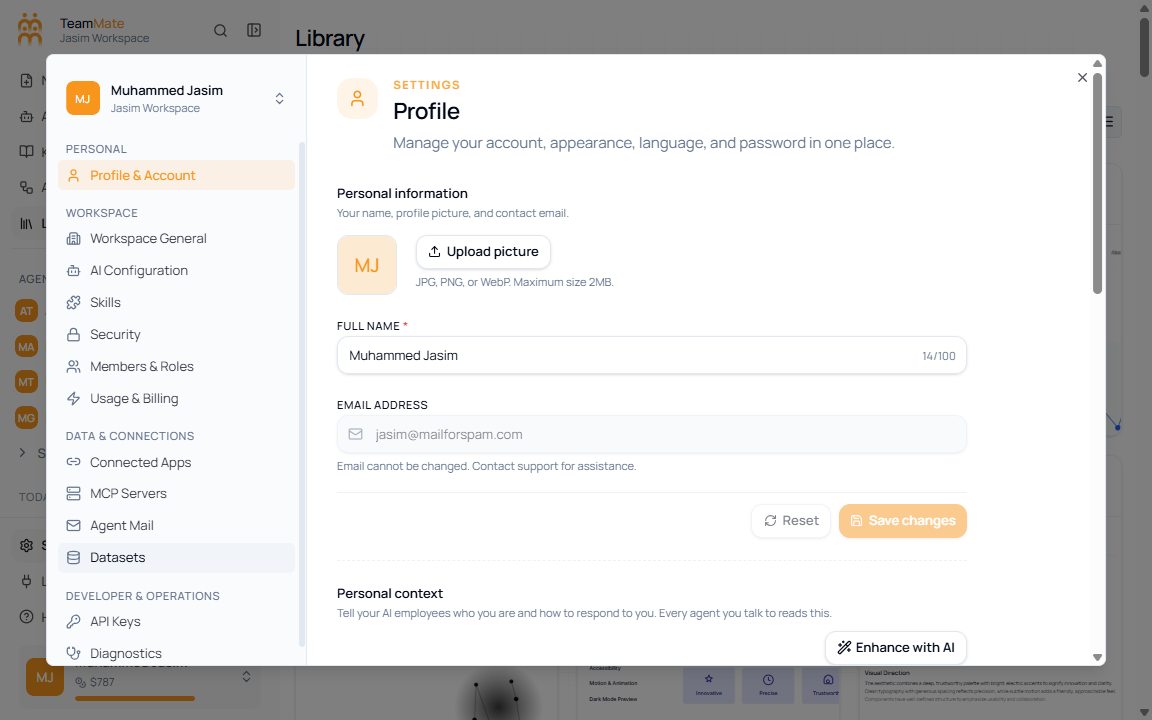
Fields and controls
| Control | What it does |
|---|---|
| Upload picture | Uploads JPG, PNG, or WebP profile images up to 2 MB. |
| Full name | Updates the display name shown across TeamMate. |
| Shows the account email address. | |
| Personal context | Stores background and answer preferences for agents. |
| Theme | Switches light, dark, or system appearance. |
| Language | Sets your personal language preference. |
| Password | Changes password settings when password login is available. |