Overview
The Knowledge Base page is the workspace-level library for sources that agents can use. Each record represents one knowledge base with a source type, description, storage size, chunk count, created date, and last updated date.
Main controls
| Control | What it does |
|---|---|
| Add Knowledge | Opens the create dialog for text, file, or website sources. |
| Search knowledge… | Filters knowledge bases by search text. |
| Sort menu | Sorts by newest, oldest, name A-Z, name Z-A, or type A-Z. |
| Grid/list toggle | Switches between card and compact row layouts. The preference is remembered in the browser. |
| View Details | Opens the selected knowledge base detail page. |
| Edit icon | Opens a metadata-only edit dialog for the name and description. |
| Delete icon | Opens a confirmation dialog before removing the knowledge base and related content. |
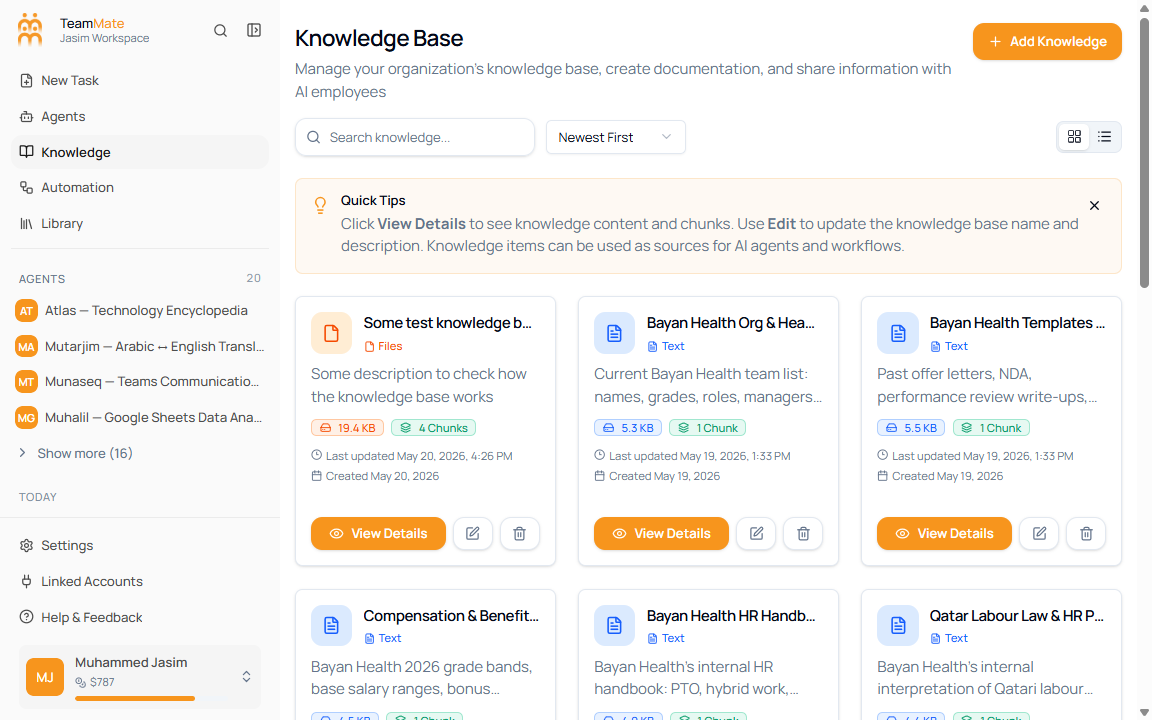
Grid view
Grid view is best when you want to scan descriptions and source types. Each card shows:
- Knowledge base name and type.
- Description or No description provided.
- Storage size.
- Chunk count.
- Last updated and created dates.
- View Details, edit, and delete actions.
List view
List view is best for dense review. It keeps the same actions but places each knowledge base in a horizontal row with type, description, updated date, created date, and size.
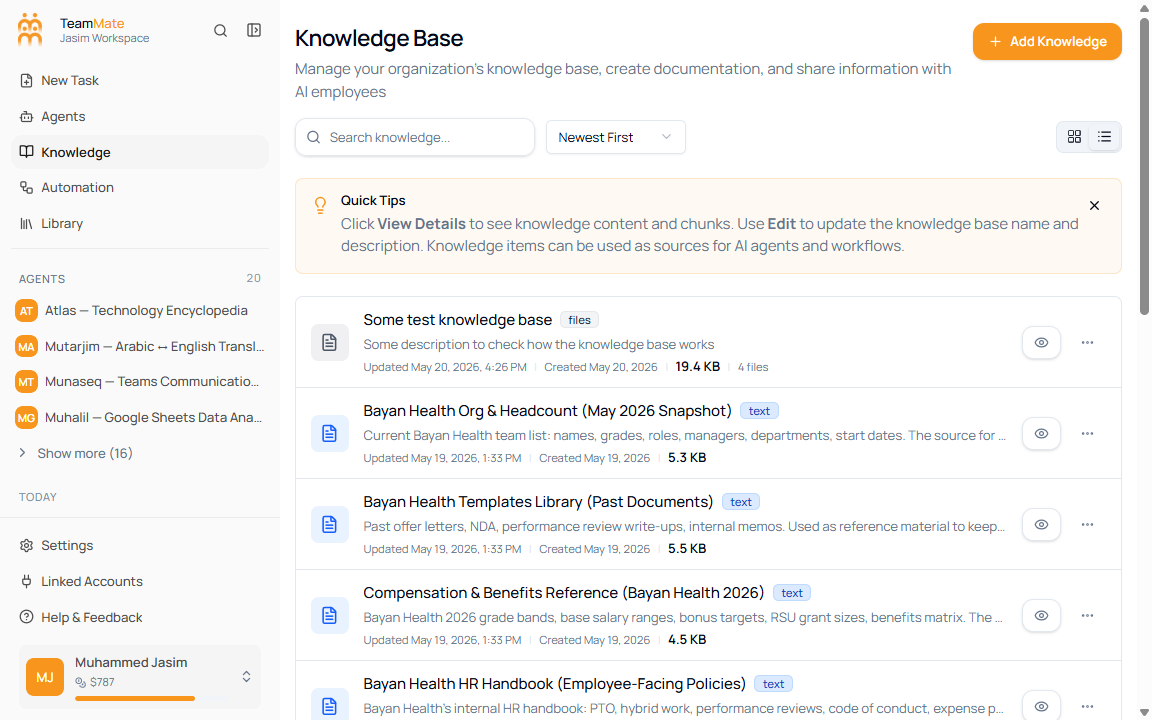
Quick tips
The page includes a dismissible Quick Tips banner. It reminds admins to use View Details for content and chunks, Edit for name and description updates, and knowledge bases as agent or workflow sources.