Plan mode
Plan mode changes the next message from direct execution to a plan-and-approve flow. Use it when the agent may take actions, use tools, or perform multi-step work that you want to review first.
What you can do here
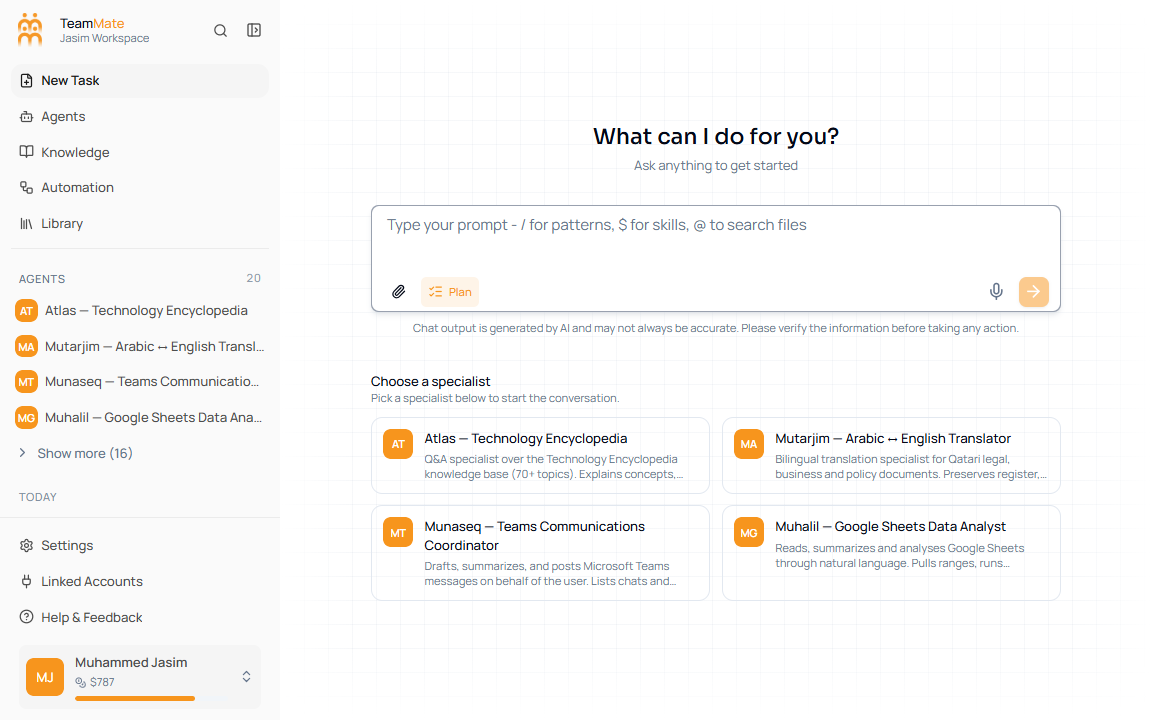
- Toggle Plan from the composer toolbar.
- Ask the agent for a plan before execution.
- Approve the plan when it is acceptable.
- Request changes when the plan needs revision.
- See approved or rejected plan status entries in the transcript.
How to use Plan mode
- Click New Task or open an existing chat.
- Click Plan in the composer toolbar.
- Type the work you want the agent to plan.
- Send the message.
- Review the plan card.
- Click Approve to continue, or request changes if the plan is not right.
When to use it
Use Plan mode for workflows that touch files, external systems, long-running tasks, or customer-visible outputs. For simple questions, leave Plan mode off.