Triggers
Trigger nodes decide how a workflow starts. The current builder exposes manual, schedule, webhook, and app-event triggers, plus an End node for explicit completion.
What you can do here
- Start a workflow manually while testing.
- Run a workflow on a time schedule.
- Start a workflow from an incoming webhook.
- Start a workflow from a connected app event.
- Mark the end of a workflow path.
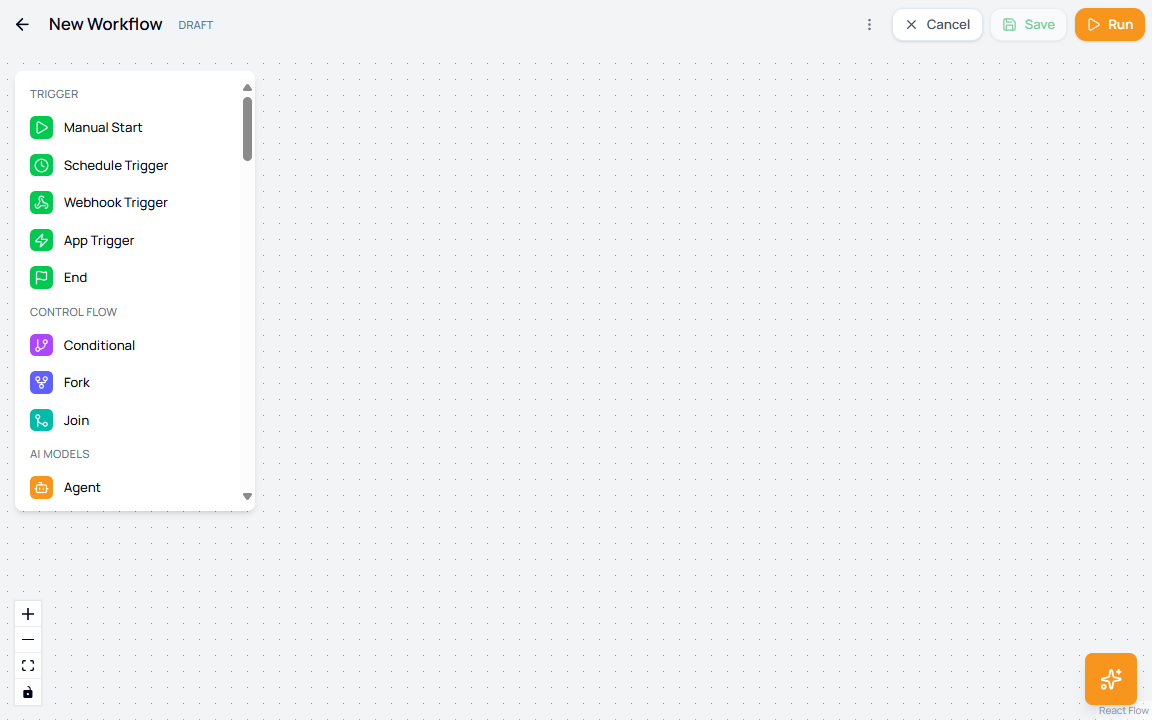
Trigger nodes
| Node | Use it for | Main configuration |
|---|---|---|
| Manual Start | On-demand testing and workflows that should only run when a user starts them. | Optional node label only. |
| Schedule Trigger | Time-based workflow runs. | Timezone, Time, Date, recurring toggle, end behavior, end date, and number of occurrences. |
| Webhook Trigger | Workflows started by an external HTTP request. | Webhook URL, HTTP Method, Authentication, credentials when required, and Response Format. |
| App Trigger | Workflows started by events from a connected app. | App, Connection, Trigger, and trigger-specific parameters. |
| End | Explicitly stop a path. | Optional node label only. |
Schedule Trigger fields
| Field | Options | What it controls |
|---|---|---|
| Timezone | Timezone picker | The timezone used to calculate scheduled runs. |
| Time | Time input | The local run time. |
| Date | Date picker | The first or one-time run date. |
| Recurring | Toggle | Turns a one-time schedule into a recurring schedule. |
| Ends | Never, On Date, After | Whether the schedule continues, stops on a date, or stops after a number of runs. |
| End Date | Date picker | The final date when On Date is selected. |
| Number of Occurrences | Number input | The maximum run count when After is selected. |
Webhook Trigger fields
| Field | Options | What it controls |
|---|---|---|
| Webhook URL | Generated URL with copy action | The endpoint external systems call to start the workflow. |
| HTTP Method | GET, POST, PUT, DELETE | Which HTTP method the endpoint accepts. |
| Authentication | None, Basic Auth, Bearer Token, API Key, HMAC Signature | How callers prove they are allowed to start the workflow. |
| Credentials | Varies by authentication type | Stores the key, token, username/password, or signing secret required by the selected method. |
| Response Format | JSON, XML, Plain Text | The response format returned to the caller. |
App Trigger fields
| Field | What it controls |
|---|---|
| App | The connected application that will emit the event. |
| Connection | The workspace connection used for that app. |
| Create New Connection | Opens the connection flow when no usable connection exists. |
| Trigger | The event type from the selected app. |
| Parameters | Event-specific settings required by the selected trigger. |
Trigger selection checklist
| Need | Use |
|---|---|
| Test a workflow from the builder or Flows list | Manual Start |
| Run a report every morning | Schedule Trigger |
| Let another system start the workflow | Webhook Trigger |
| React to an event from a connected app | App Trigger |
| Stop a branch after its final action | End |