Use a knowledge base in an agent
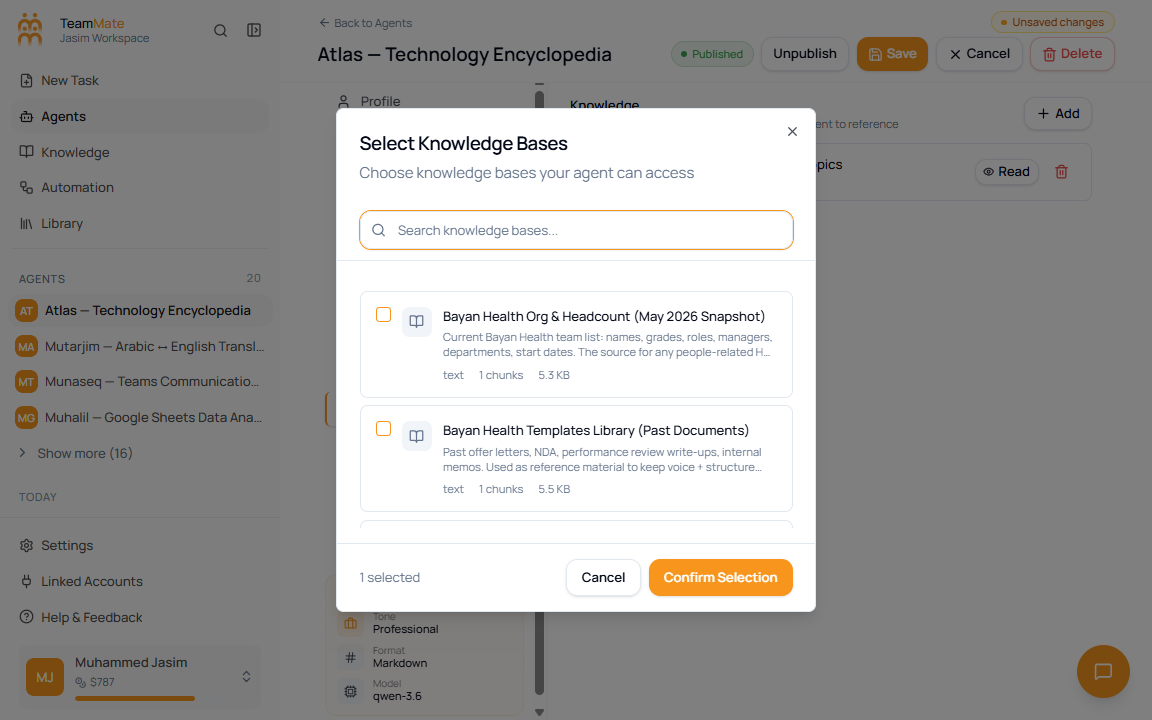
Agents use knowledge bases through the agent builder Knowledge tab. The Knowledge Base page creates and maintains the sources; the agent builder decides which agent can use each source.
Attach a source
- Open the agent builder.
- Go to Knowledge.
- Click Add.
- Search the available knowledge bases.
- Select one or more knowledge bases.
- Click Confirm Selection.
- Choose Read or Read & Write for each attached source.
- Save the agent.
Access choices
| Access | What it means |
|---|---|
| Read | The agent can retrieve from the knowledge base. Use this for most agents. |
| Read & Write | The agent can retrieve and update knowledge when its available tools support writing. Use this only for agents expected to maintain sources. |
Verify before relying on it
After attaching a knowledge base, test the agent with questions that should clearly come from that source. If the answer is missing or vague, check the knowledge base detail page for content items and chunk counts.