Testing & iterating
Testing happens inside the agent builder and from the published launch flow. Use it to check instructions, model behavior, knowledge retrieval, tools, guardrails, channels, and structured output before wider rollout.
What you can do here
- Use Widget Preview in the builder after the agent is saved.
- Save an unsaved agent from the preview’s Save Agent prompt.
- Test starter prompts from the Profile tab.
- Launch a published agent from the Agents list.
- Debug behavior by changing one builder area at a time.
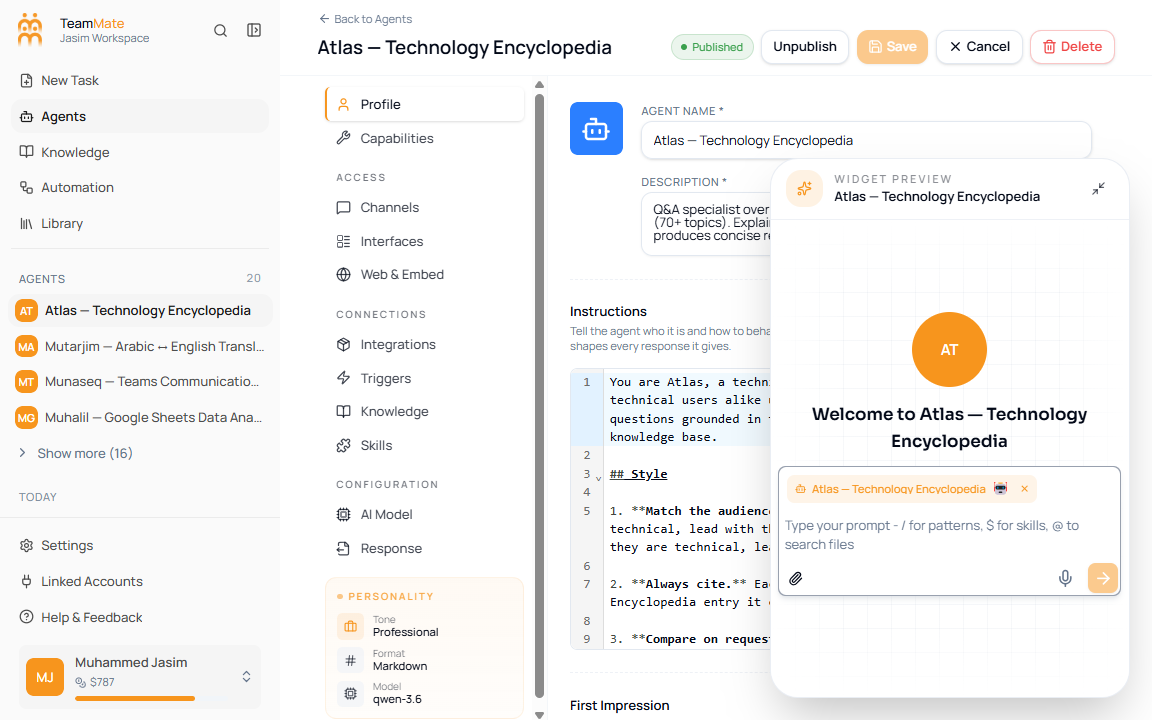
Testing pages
| Page | What it covers |
|---|---|
| Floating chat preview | Testing an agent while staying in the builder. |
| Suggested prompts | Starter prompts configured in the Profile tab. |
| Debugging behavior | Finding whether a problem is caused by profile, model, knowledge, tools, response format, guardrails, or channels. |
Test before publishing
Run prompts that match real user work, edge cases, and escalation scenarios. If a response is wrong, change one configuration area, save, and retest before changing another area.