Agent Mail
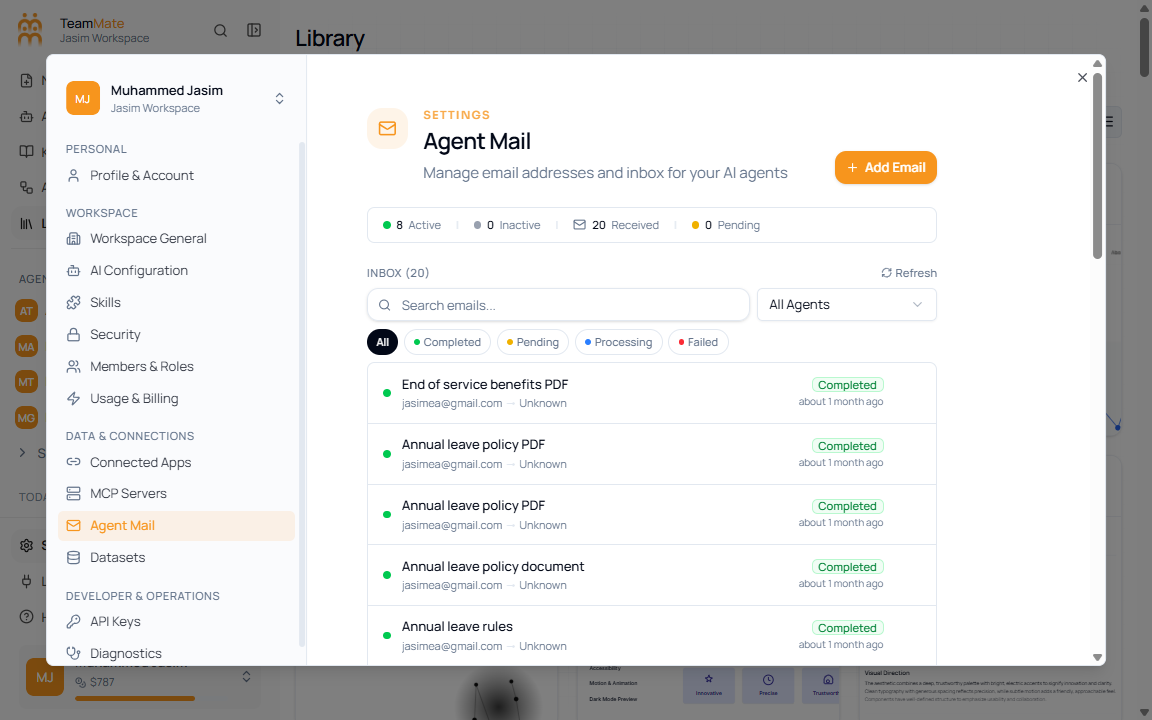
Use Agent Mail to review and manage workspace email channels for agents.
What you can do here
- Add an email configuration.
- Refresh the email list.
- Search email configurations.
- Filter by agent.
- Review completed and pending setup states.
Controls
| Control | What it does |
|---|---|
| Add Email | Opens the email setup flow. |
| Refresh | Reloads email configuration status. |
| Search emails | Filters by email or related text. |
| All Agents | Narrows the list to one agent. |
| Completed / Pending | Shows setup state counts or status filters in the section. |