AI Model tab
The AI Model tab controls which model powers the agent and how it generates responses. Start with a preset, then use advanced configuration only when the agent needs a specific model or parameter behavior.
What you can do here
- Choose a model preset by use case.
- See approximate average cost per preset.
- Open advanced configuration.
- Select a specific model.
- Tune vocabulary range, repetition, topic diversity, creativity, and response length.
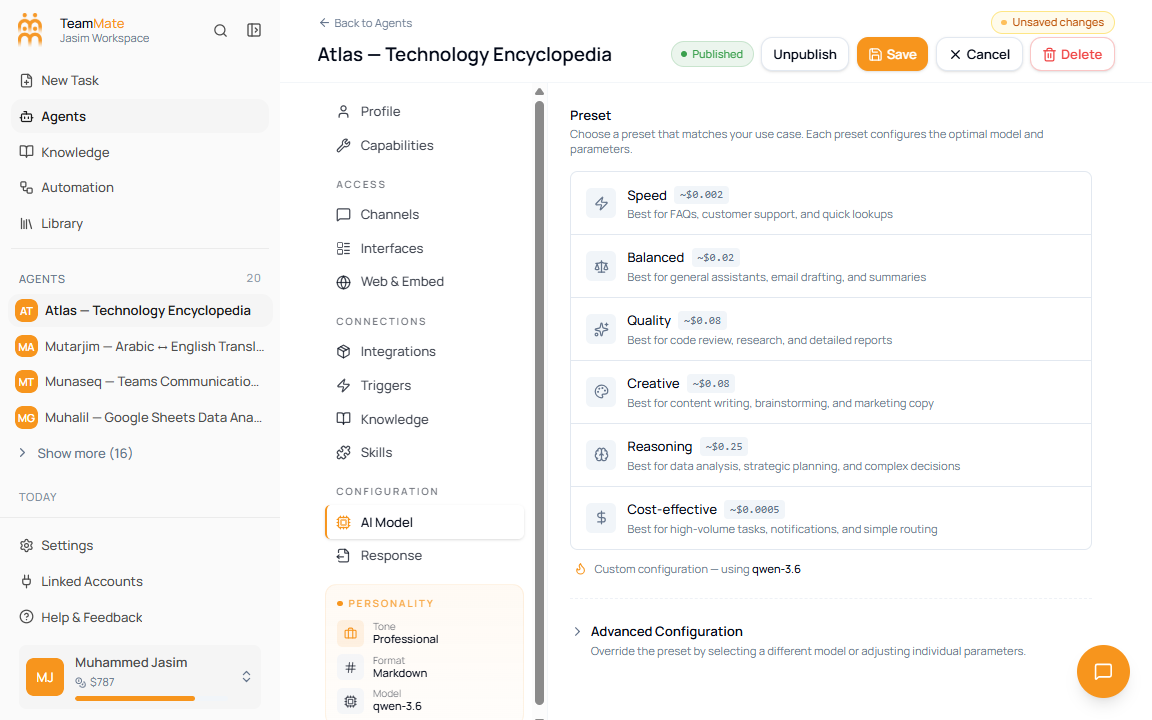
Presets
| Preset | Best for | Default behavior |
|---|---|---|
| Speed | FAQs, customer support, quick lookups. | Faster, lower-cost responses. |
| Balanced | General assistants, email drafting, summaries. | General-purpose default. |
| Quality | Code review, research, detailed reports. | Higher-quality model and longer output budget. |
| Creative | Content writing, brainstorming, marketing copy. | Higher creativity and varied wording. |
| Reasoning | Data analysis, strategic planning, complex decisions. | Stronger reasoning model and large output budget. |
| Cost-effective | High-volume tasks, notifications, simple routing. | Lower-cost model for simple work. |
Use advanced configuration
- Open AI Model.
- Click Advanced Configuration.
- Choose a specific Model when a preset is not enough.
- Adjust only the parameters you understand.
- Save and test the agent.
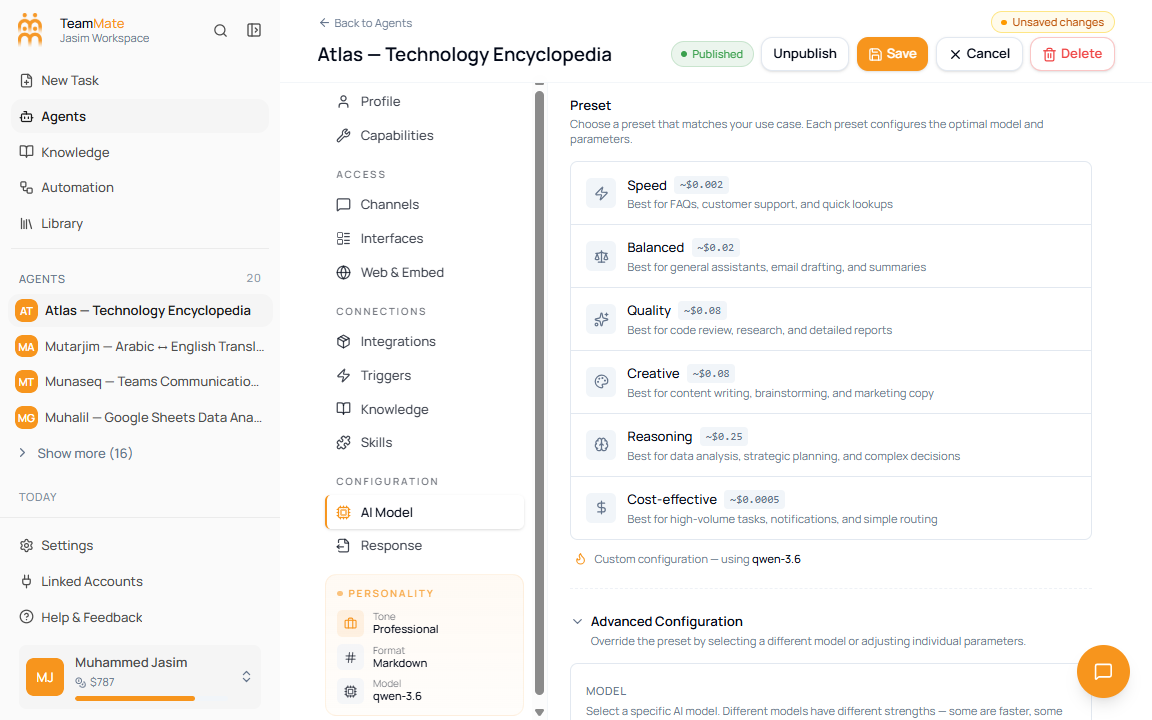
Advanced parameters
| Parameter | What it controls | Practical guidance |
|---|---|---|
| Model | The exact model used by the agent. | Pick based on task difficulty, speed, cost, and provider availability. |
| Vocabulary Range | How many word choices the model considers. | Keep near default for most agents. Lower is more predictable; higher is more varied. |
| Reduce Repetition | Whether repeated words and phrases are discouraged. | Increase for long-form writing that sounds repetitive. |
| Topic Diversity | Whether the model explores related ideas. | Keep low for support and lookup agents; increase for brainstorming. |
| Creativity | Randomness or temperature. | Low for factual work, higher for creative writing. |
| Response Length | Maximum tokens in a response. | Increase for reports, code, and long analysis; lower for concise support replies. |