Create a knowledge base
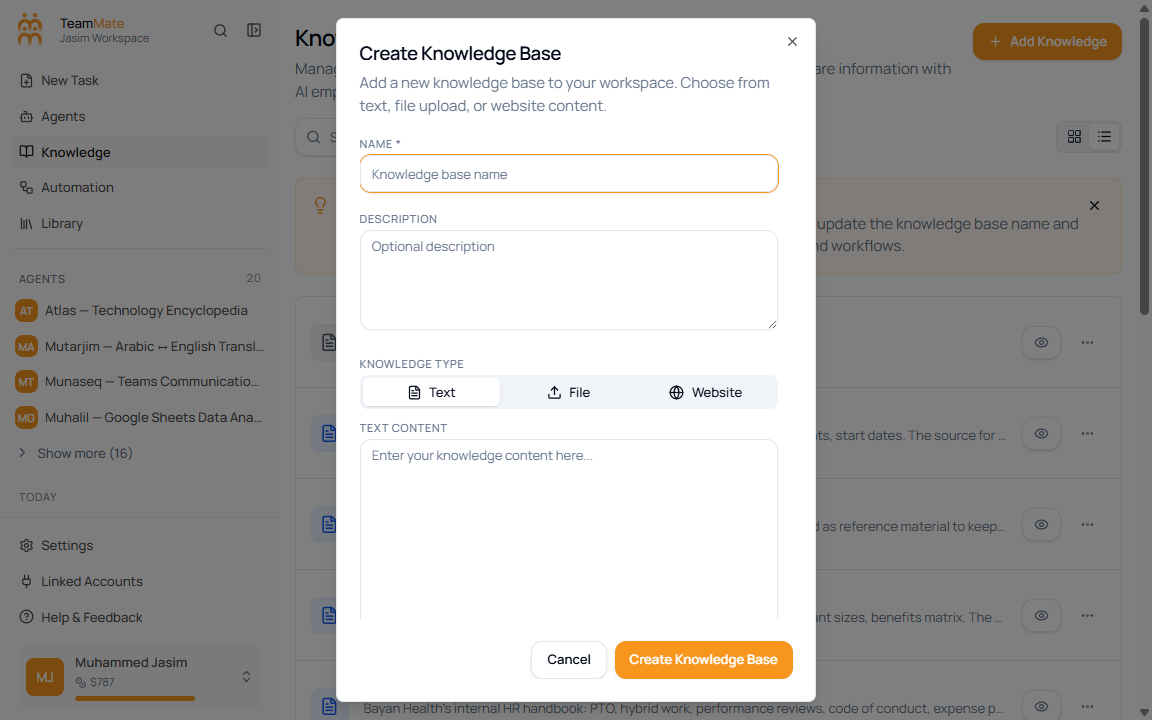
Use Add Knowledge to create a source your agents can retrieve from. The current create dialog supports three source types: Text, File, and Website.
Create from text
- Open Knowledge Base.
- Click Add Knowledge.
- Enter a Name.
- Optionally enter a Description.
- Keep Text selected.
- Paste or write the source content in Text Content.
- Click Create Knowledge Base.
Create from a file
Choose File when the source is a PDF, DOCX, DOC, or TXT file. See Upload files for file limits and behavior.
Create from a website
Choose Website when the source is one or more URLs. The dialog can fetch links from a starting URL or accept links added manually. See Web sources.
After creation
The new record appears on the Knowledge Base page. Open View Details to confirm the content items and chunk count before attaching it to an agent.