Structured output & JSON schema
Structured output makes an agent return JSON that follows a schema you define. In the current builder, this is not a separate builder tab; it is the Structured Output section inside the Response tab.
What you can do here
- Turn structured output on or off.
- Write a JSON Schema in the embedded editor.
- Save the schema with the agent draft.
- Test whether chat replies match the expected object shape.
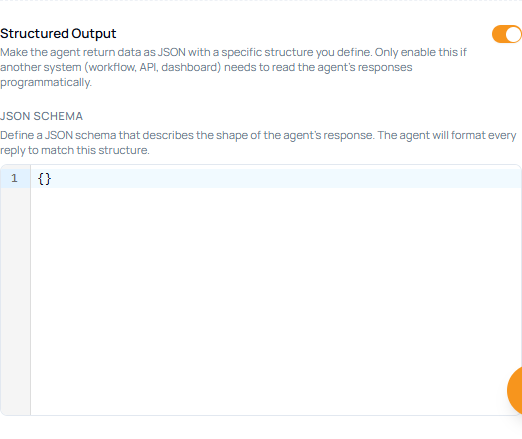
Configure structured output
- Open Agents.
- Create an agent or edit an existing agent.
- Open Response.
- Turn on Structured Output.
- Enter a valid JSON Schema in JSON Schema.
- Click Save.
- Test the agent with prompts that should return the required fields.
Fields
| Field | Required | What it controls |
|---|---|---|
| Structured Output | No | Makes the agent format each reply as JSON. |
| JSON Schema | Yes when enabled | Defines the object type, properties, required fields, and validation rules. |
When to use it
Use structured output when another system needs to parse the response, such as a workflow, API call, dashboard, form interface, or integration. For normal chat, use Markdown or Step-by-step in Response formats.