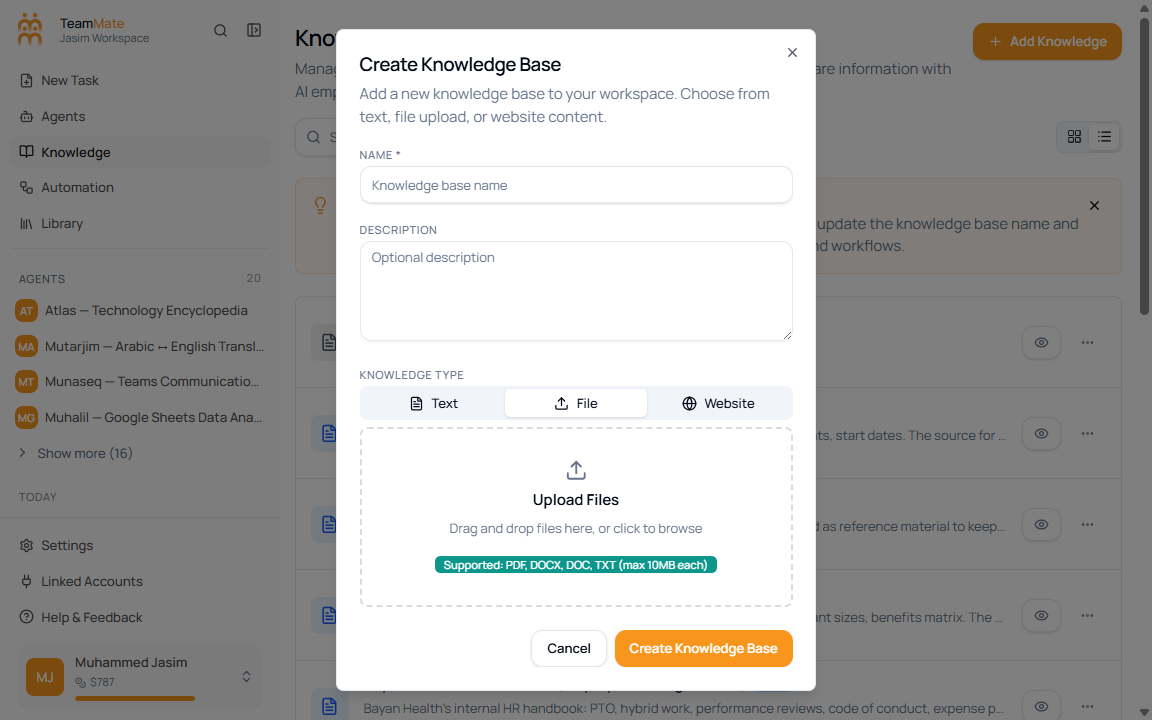
Upload files (PDF, DOCX, DOC, TXT)
The current file source supports PDF, DOCX, DOC, and TXT files. Each selected file must be 10 MB or smaller.
Upload file sources
- Open Knowledge Base.
- Click Add Knowledge.
- Enter the Name and optional Description.
- Select File.
- Drag files into the upload area or click the upload area to browse.
- Review the selected files.
- Click Create Knowledge Base.
Validation behavior
Unsupported files are rejected and the app shows an error toast. The accepted extensions are .pdf, .docx, .doc, and .txt; other formats are not accepted by this dialog.
Inspect uploaded files
After creation, open View Details. The detail page lists each processed content item and shows total content items, AI chunks, total words, created date, and last updated date.