Content details & embeddings
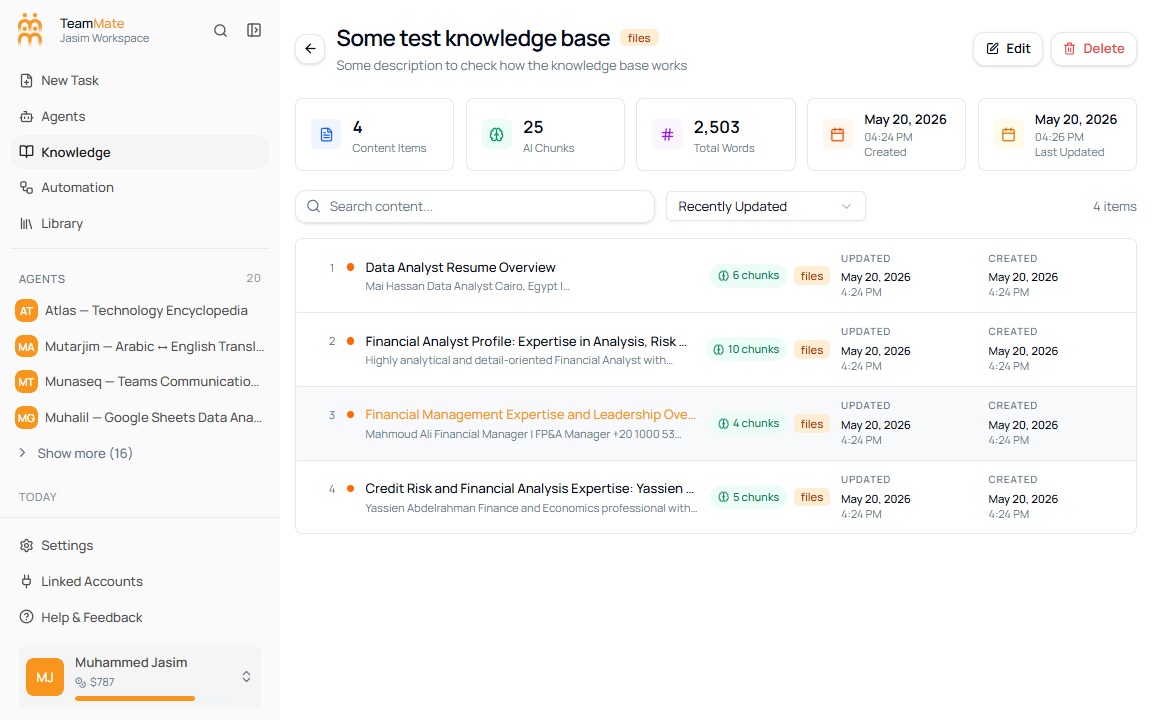
Open View Details to inspect the actual content inside a knowledge base. The detail page shows summary stats above a searchable content list.
Detail summary
The summary row shows:
- Content Items
- AI Chunks
- Total Words
- Created date and time
- Last updated date and time
Content list
The content list includes search, sorting, item counts, and pagination when there are enough records. Current sort options are Recently Updated, Least Recently Updated, Newest Created, and By Title.
Each row can show a title, preview text, type badge, chunk count, updated date, and created date. Click any content row to open the content details sheet on the right side of the page.
Content details sheet
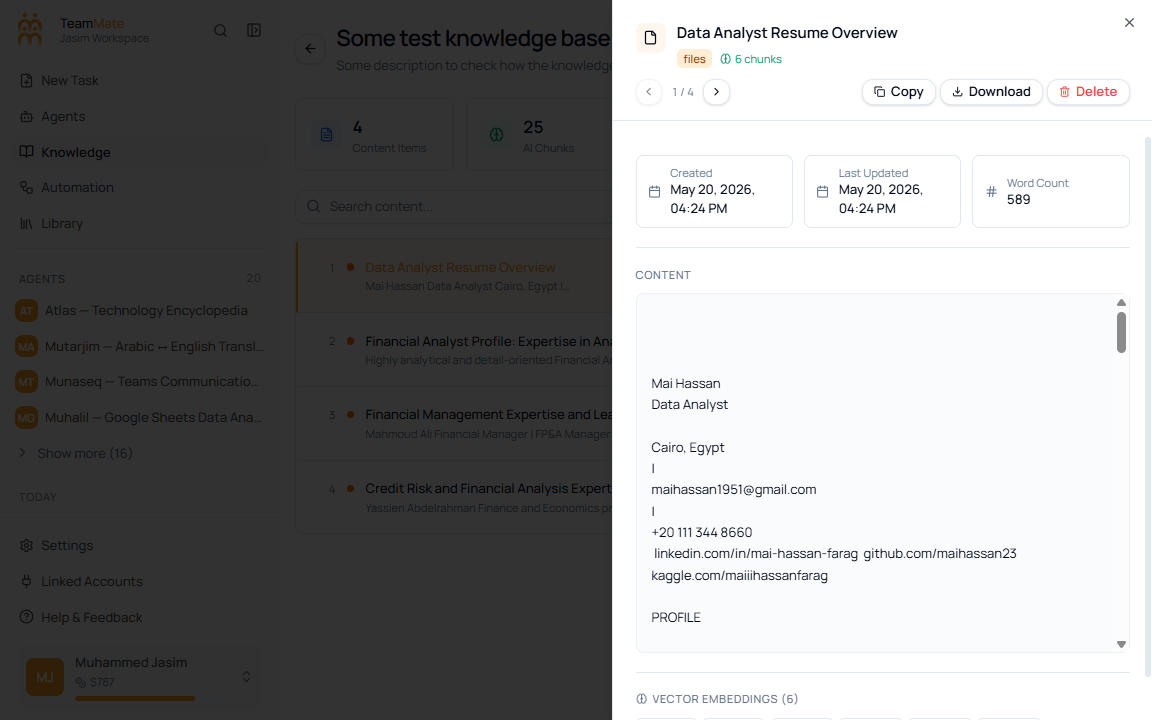
The sheet shows the selected content item with navigation between items, copy, download, and delete actions. It also shows created date, last updated date, word count or character count, raw content, and vector chunk buttons when embeddings exist.
Vector embedding dialog
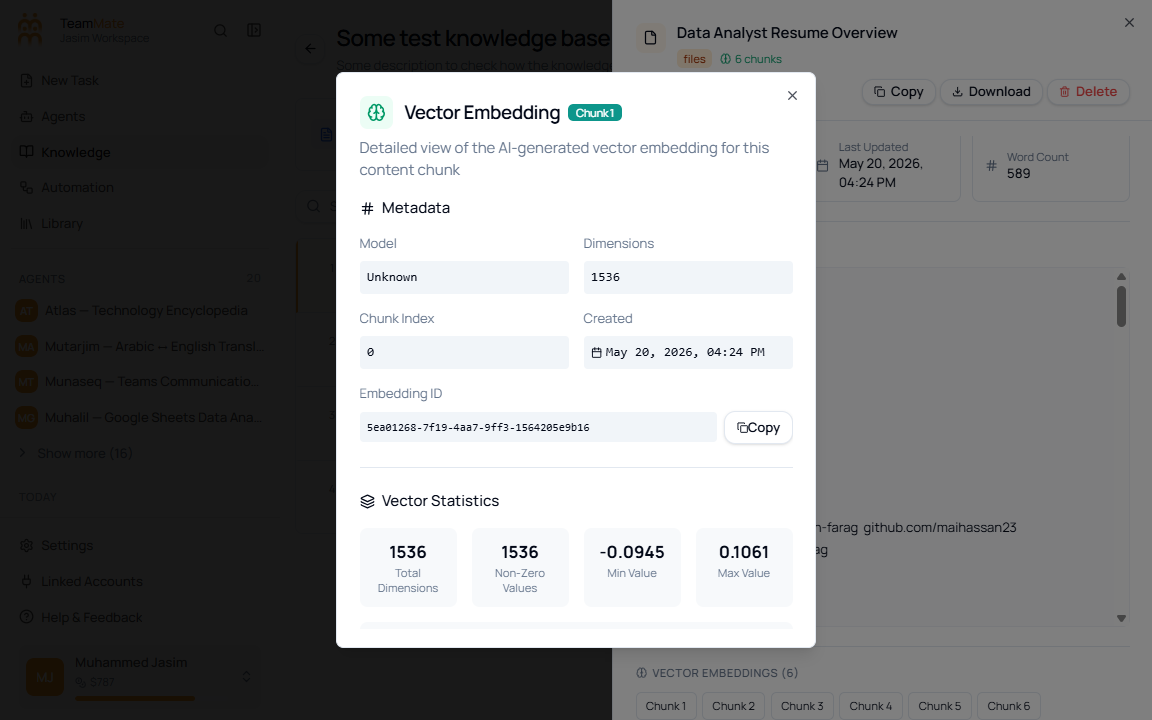
Click a Chunk button to inspect the vector embedding. The dialog shows the embedding model, dimensions, chunk index, created date, embedding ID, vector statistics, a preview of vector values, and a collapsible full vector section.
Delete one content item
Use Delete in the content drawer to remove a single content item. This is different from deleting the whole knowledge base from the page header.