Answers, tools & side panels
Chat answers appear in the transcript after each user message. Depending on the agent and enabled capabilities, the response can include text, tool calls, file results, plans, charts, artifacts, progress updates, or a side panel.
What you can do here
- Read assistant messages and generated titles.
- Watch the streaming status while the response is running.
- Stop a response from the composer toolbar.
- Open tool output when a tool card exposes a preview.
- Review plan approval cards and plan status entries.
- Inspect artifacts or local files in the right-side pane when those surfaces open.
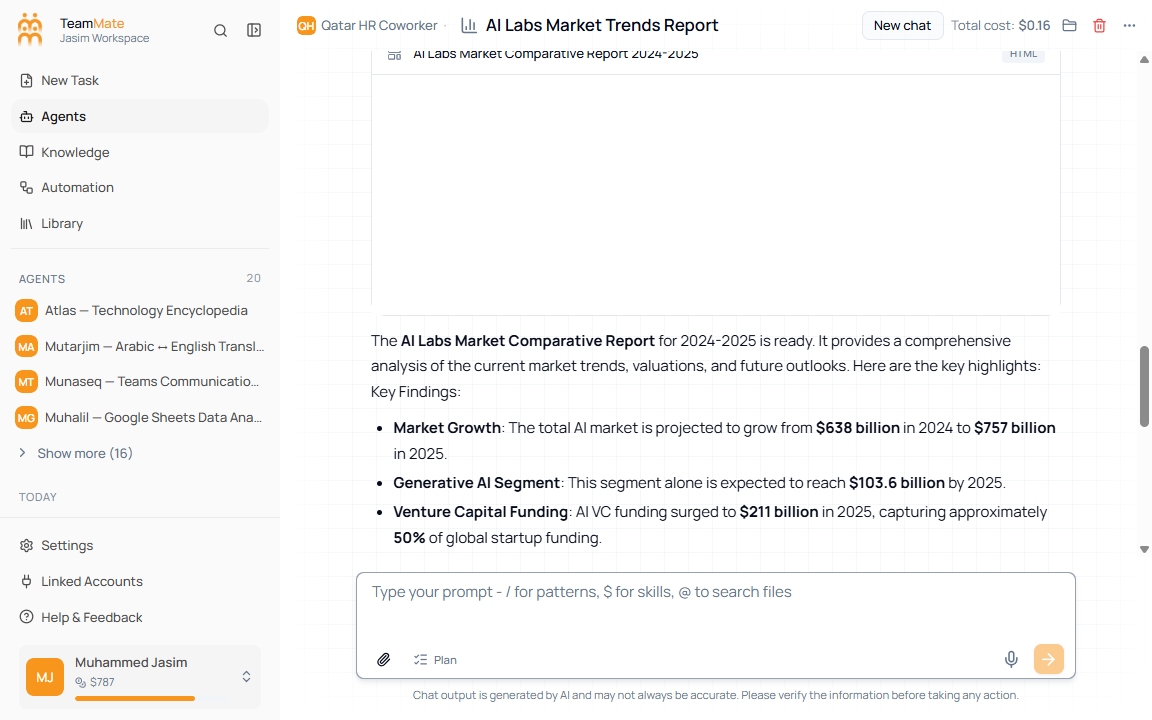
Output surfaces
| Surface | When it appears |
|---|---|
| Thinking message | While the assistant is submitted, streaming, or stopping. |
| Tool card | When the agent calls a tool such as web search, file operation, code execution, browser automation, or agent-to-agent call. |
| Tool side panel | When tool side panel support is enabled and a tool result can be inspected separately. |
| Artifact pane | When generated artifacts are opened beside the chat. |
| Local file viewer | When a browser-workspace file is opened. |
| Plan card | When Plan mode produces a plan that needs approval or changes. |