Specialists in chat
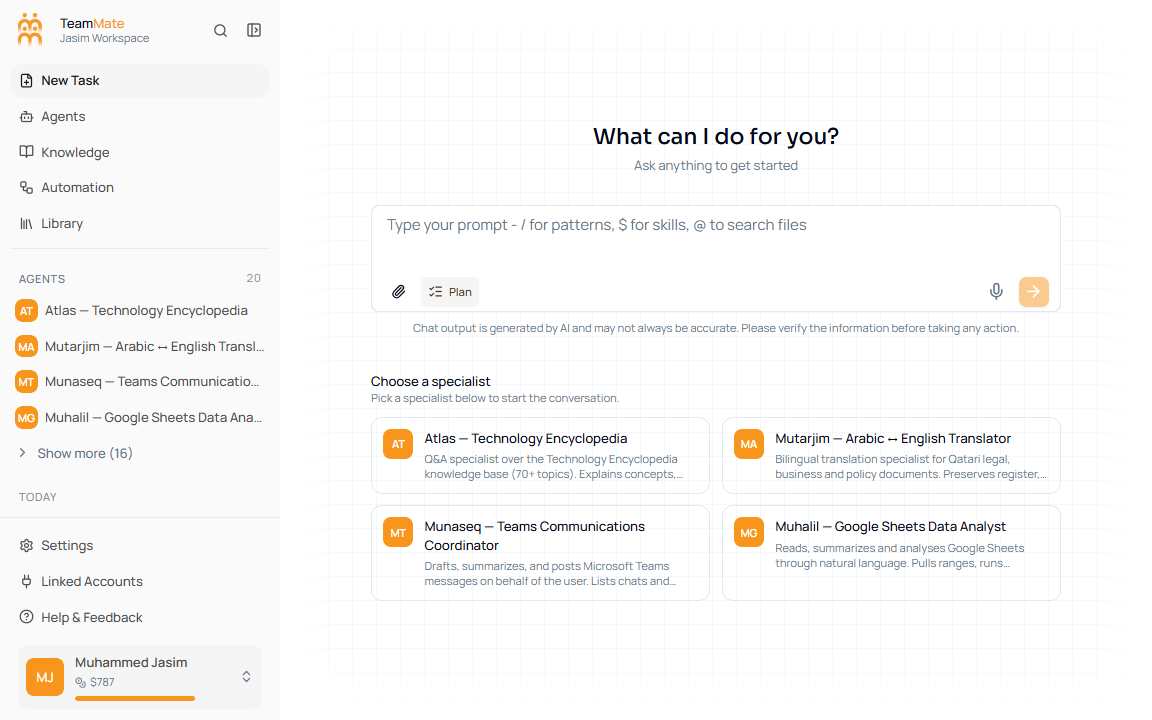
When you open New Task, Chat shows specialist cards below the composer. If you do not choose one, the backend routes the message to the main SuperAgent. Choosing a card routes the next message to that specialist.
What you can do here
- Pick one visible specialist before sending the first message.
- Use the selected card highlight to confirm the active specialist.
- Use
/agentfrom the slash menu to insert an agent token. - Open an agent directly from the app sidebar when you want an agent-specific page.
Selection behavior
| State | Behavior |
|---|---|
| No specialist selected | The message routes to the main SuperAgent. |
| Specialist card selected | The next message routes to that agent. |
| Same card clicked again | The selection is cleared. |
| Agent opened from sidebar | The route changes to that agent’s chat surface. |