Chat
Chat is the main workspace for starting AI work. The current UI is centered on New Task, the left app sidebar, grouped chat history, specialist agent cards, and a composer with files, slash commands, skills, Plan mode, voice recording, and send/stop controls.
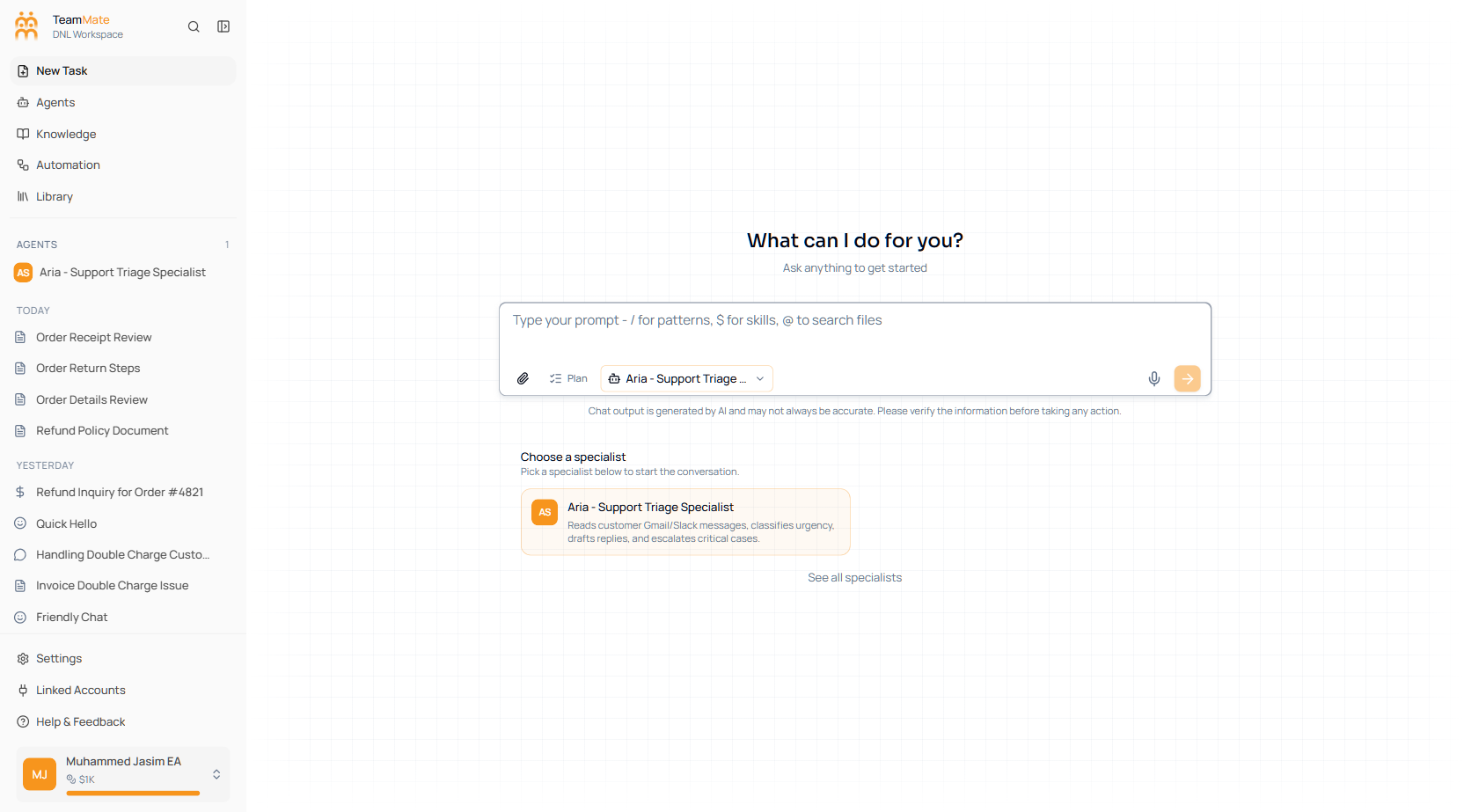
What you can do here
- Start a new task from the app sidebar.
- Reopen previous chats from grouped history.
- Pick a specialist agent before sending your first message.
- Attach files, use slash commands, add skills with
$, and mention local files with@when a browser workspace is connected. - Turn on Plan mode before asking the agent to execute work.
- Share, rename, delete, or continue an existing chat.
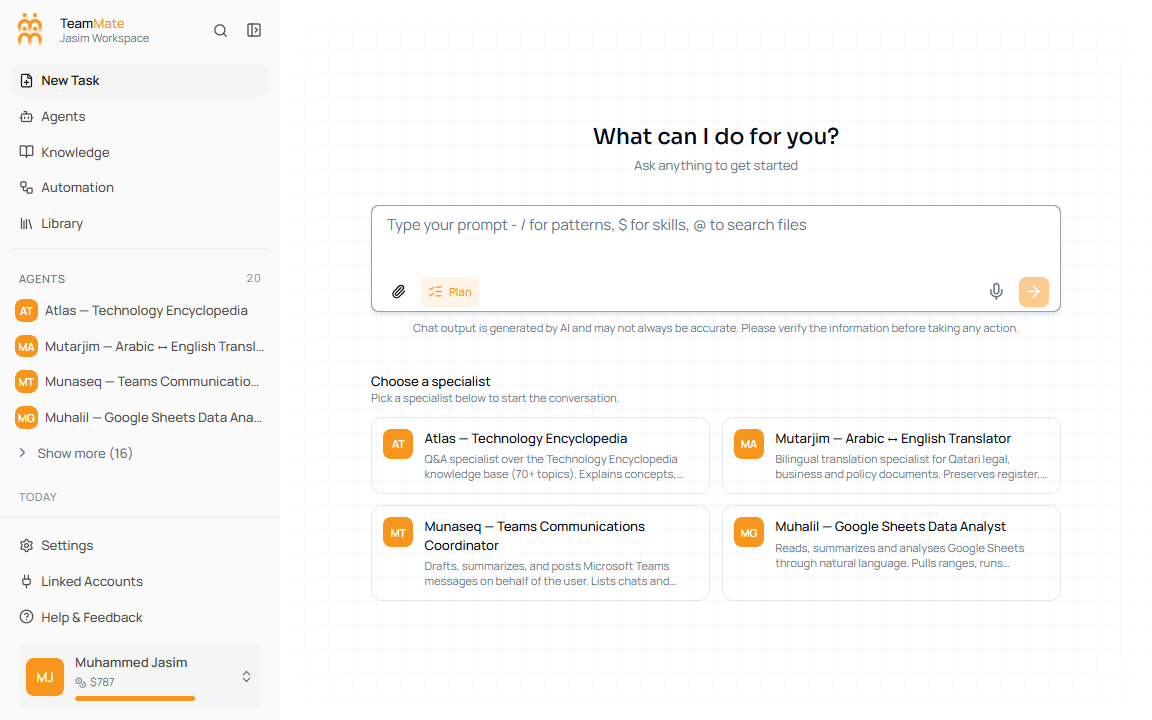
Current Chat sections
| Section | Use it for |
|---|---|
| Chat overview | The current screen layout and the main controls. |
| Conversations & history | Sidebar history, grouped chats, active chats, and delete actions. |
| Composer, slash menu & skills | Typing prompts, slash commands, $ skills, file mentions, queued messages, and send/stop. |
| Specialists in chat | Choosing one of the visible specialist agents before a message is sent. |
| Files, attachments & workspace | Uploading files, browsing server workspace files, and browser-workspace file mentions. |
| Plan mode | Asking the agent to draft a plan for approval before execution. |
| Voice recording | Dictating a prompt through the microphone button. |
| Answers, tools & side panels | Reading responses, tool cards, progress, artifacts, and side panels. |
| Sharing, title, and chat actions | More menu, share dialog, title updates, delete, and agent shortcuts. |
| Troubleshooting chat | Checks for empty states, uploads, stream errors, and stale chats. |
What changed from the old docs
The old Chat tree described separate model-selection, mode-selection, interactive chat, credits, and many per-tool leaf pages. Those are not separate primary sections in the current app shell. The current user path is the unified chat workspace shown above.